



Infrastructure optimized for growth

35+
Networks Supported

25ms
Avg Processing Time

25,000+ rq/s
Enterprise-ready

100+ TB
of Big Data

 Sign in

Access to full transaction data on all transactions & addresses

Retrieve blockchain data, balances, and transactions

Detailed blockchain history and transaction data for any address.

Full smart contracts metadata, including token symbols & token names

Access to full transaction data on all transactions & addresses

Get live crypto prices, exchange rates, supply and token contracts across protocols via one REST API.

Real-time notifications for events on top blockchains. Response under 100ms.

AML address screening across 35+ networks

Sync and manage HD wallets, keys and addresses

Local signing for EVM, UTXO, Tron, XRP, Kaspa and Solana

Precise blockchain transaction fee estimates based on transaction priority

Broadcast and verify transactions with real-time monitoring

Prepare EVM transactions, including token transfers

Test EVM transactions, optimize gas fees and identify security flaws

Pay for HTTP APIs, or charge for your own, in USDC stablecoin over the open x402 protocol — non-custodial, on-chain settlement.

MCP servers, CLI and skills for AI agents

Dedicated nodes infrastructure for leading blockchains using JSON-RPC

Address validation, encoding & cryptographic tasks optimizations

Shared node infrastructure for top blockchains using JSON-RPC.

Oct 23, 2026 • 3 min

AI agents are starting to touch real money. They check balances, watch for deposits, screen counterparties and prepare transfers. To do that safely, an agent needs the same blockchain infrastructure a production backend runs on, through a protocol it already speaks.
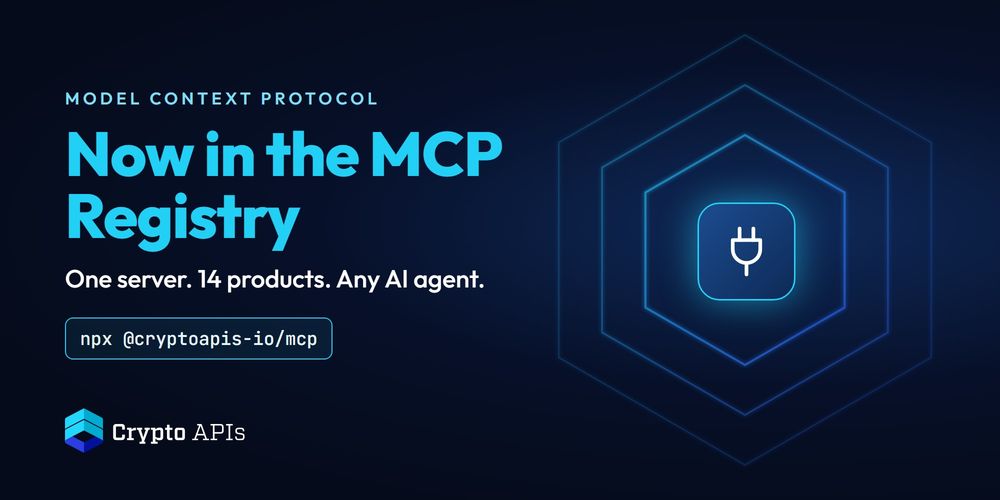
That protocol is MCP, the Model Context Protocol. As of this week, Crypto APIs has one entry in the official MCP Registry: io.github.CryptoAPIs-io/mcp, version 0.5.0.
Local. npx @cryptoapis-io/mcp starts one MCP server with all 14 Crypto APIs products in a single process. It runs over stdio next to your AI client.
Hosted. https://ai.cryptoapis.io/mcp is our remote MCP server over streamable HTTP. There is nothing to install: your client sends your API key in the x-api-key header.
You can look the entry up in the registry yourself: registry.modelcontextprotocol.io.
The server bundles 14 products. Every tool is named <product>__<tool>, so the agent always knows which product it is calling.
Address latest: current balances and state for EVM, UTXO, Solana, XRP and Kaspa addresses.
Address history: full transaction and token history for synced addresses.
Transactions data: any transaction by its hash.
Block data: block details by height or hash.
Contracts: token details by contract address.
Blockchain fees: fee recommendations and gas estimates.
Market data: asset prices and exchange rates.
AML: Verify Address and Screen Transaction. Verify Address checks an address for sanctions, fraud links, mixer exposure, scam reports, and AML risk signals across 35+ networks.
Blockchain events: webhook subscriptions for on-chain events, such as a confirmed transaction on an address you watch.
HD wallet: sync an xPub and track its balances and derived addresses.
Prepare transactions: build unsigned EVM transactions.
Simulate: dry-run an EVM transaction before anyone signs it.
Broadcast: send an already-signed raw transaction to the network.
Utils: address validation, raw transaction decoding and XRP X-address encoding.
Networks include Bitcoin, Ethereum, BNB Smart Chain, Polygon, Avalanche, Arbitrum, Base, Optimism, Tron, Solana, XRP, Kaspa, Litecoin, Dogecoin, Bitcoin Cash, Dash, Zcash and Ethereum Classic, on mainnet and testnet. Coverage differs per tool, and the repository lists it product by product.
Signing is where an agent can do real damage. Neither the combined server nor the hosted endpoint ever sees a private key. They read data, prepare and simulate transactions, and broadcast transactions that are already signed.
When your agent has to sign, add @cryptoapis-io/mcp-signer. It's a separate, optional package that signs locally with no API calls, so the key stays on your machine.
The flow we recommend: prepare, simulate, sign locally, broadcast.
Get an API key at app.cryptoapis.io, then add the server to your client.
Claude Desktop, Cursor or Windsurf (local):
{
  "mcpServers": {
    "cryptoapis": {
      "command": "npx",
      "args": ["-y", "@cryptoapis-io/mcp"],
      "env": { "CRYPTOAPIS_API_KEY": "YOUR_API_KEY" }
    }
  }
}
Claude Code (hosted):
claude mcp add --transport http cryptoapis https://ai.cryptoapis.io/mcp --header "x-api-key: YOUR_API_KEY"n8n, custom agents or any HTTP MCP client: point it at https://ai.cryptoapis.io/mcp and send your key in the x-api-key header.
Tool calls use your plan's credits, the same way REST API calls do.
"What's the USDT balance of this Tron address?"
"Screen this Ethereum address for AML risk before I pay it."
"What Bitcoin fee do I need for a payment that confirms in the next block?"
"Send a webhook to my URL when this address gets a confirmed transaction."
"Prepare a 0.01 ETH transfer to this address and simulate it."
No. The hosted server at https://ai.cryptoapis.io/mcp works with any MCP client that supports streamable HTTP. If you prefer to run it yourself, npx @cryptoapis-io/mcp starts the same 14 products locally.
No. It never signs and never sees a private key. Signing is only available through the separate local package @cryptoapis-io/mcp-signer, which runs on your machine.
Any MCP-compatible client, including Claude Desktop, Claude Code, Cursor, Windsurf and n8n, as well as custom agents that speak MCP.
MCP Registry entry: io.github.CryptoAPIs-io/mcp
GitHub: CryptoAPIs-io/cryptoapis-mcp-hub
npm: @cryptoapis-io/mcp
API documentation: developers.cryptoapis.io
API key: app.cryptoapis.io
Building an AI agent that watches or moves crypto? Book 30 minutes with us.
Networks Supported
Avg Processing Time
Enterprise-ready
of Big Data





 Copy link